
You open Instagram "for a second" and look up forty minutes later. Deleting the app never lasts, and screen-time limits are one tap from being ignored. What works better is making the Quran the doorway: Instagram only opens after you read.
This guide shows how to set that up on iPhone and Android in about five minutes with Quran Gate. It works the same for TikTok, YouTube, Snapchat, X or any game.
How It Works
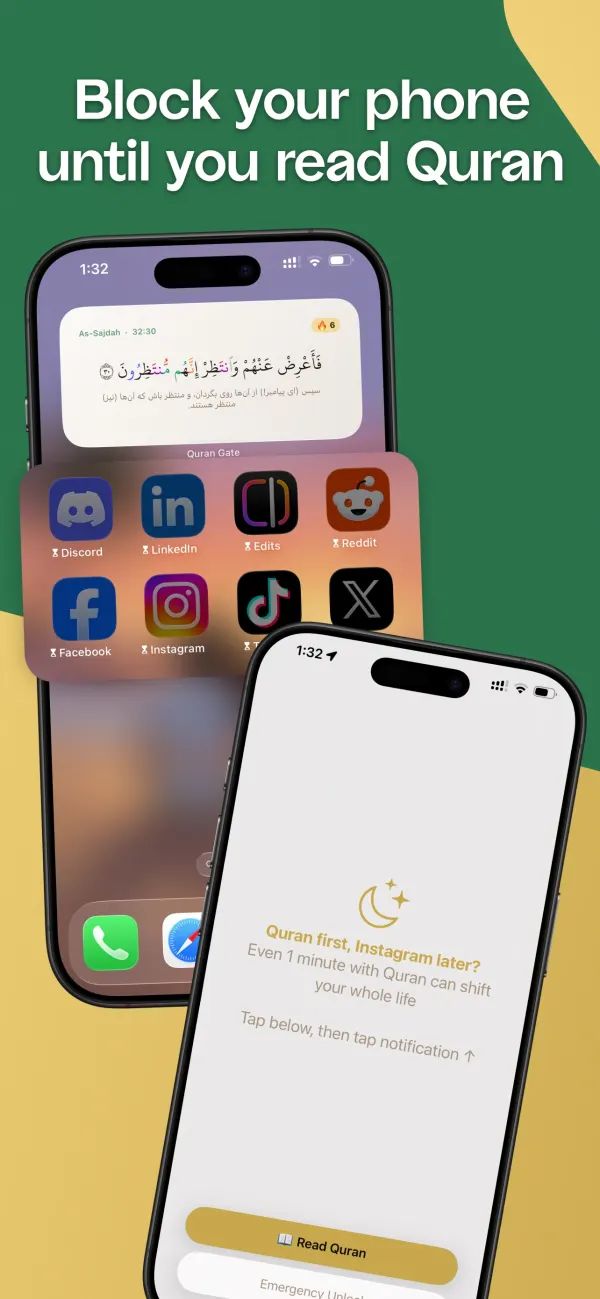
- You choose Instagram (and any other app) and a time limit — from 5 to 120 minutes.
- You use Instagram normally until that time runs out.
- Then it locks. Opening it brings up a short Quran reading instead — your next ayahs, continuing exactly where you stopped last time.
- Finish the reading and Instagram unlocks for another round.
Because every reading continues your place in the mushaf, the unlocks quietly add up. Half a page per unlock, a few times a day, finishes the Quran in months — use the khatam calculator to see your pace.
On iPhone
- Download Quran Gate from the App Store and go through setup: your reading goal (half a page to three pages) and your translation.
- Connect Screen Time. iOS asks you to allow Quran Gate to use Screen Time — tap Continue and confirm with Face ID or your passcode. This is Apple's own framework; your app choices stay on your phone.
- Select Instagram in the app picker. On the free plan that's your one app; Premium lets you add more apps, whole categories (like Social) and websites.
- Set your time limit. 30 minutes is a good honest start.
- Done. When the time is up, Instagram shows a Quran Gate screen. Open Quran Gate, read your portion, and Instagram unlocks.
Tip: add the Ayah of the Day widget to your home screen so a verse greets you before you even reach for the app.
On Android
- Download Quran Gate from Google Play and complete setup.
- Select Instagram (plus any other apps on Premium) and set your time limit.
- Grant three permissions when prompted: Usage Access, Display Over Other Apps and the Accessibility Service (tap Installed apps → Quran Gate → switch on → Allow).
- Done. When your time runs out, opening Instagram brings up the Quran instead.
If blocking stops on a Xiaomi, Samsung or similar phone, set Quran Gate's battery usage to Unrestricted — more in our Android Quran app blocker guide.
Make It Stick
- Start with your single worst app. One app, blocked well, beats five apps and a disabled blocker.
- Keep the portion small. Half a page per unlock is enough to change the habit; you can raise it later.
- Don't fight the craving — redirect it. The point isn't willpower. You still reach for your phone; the path just runs through the Quran now. That's why habit replacement works where blocking alone fails.
- Watch your streak. The dashboard calendar and 90-day heatmap make every reading day visible.
One person's month of doing exactly this: I Replaced Instagram with Quran for 30 Days.


Related reading:
