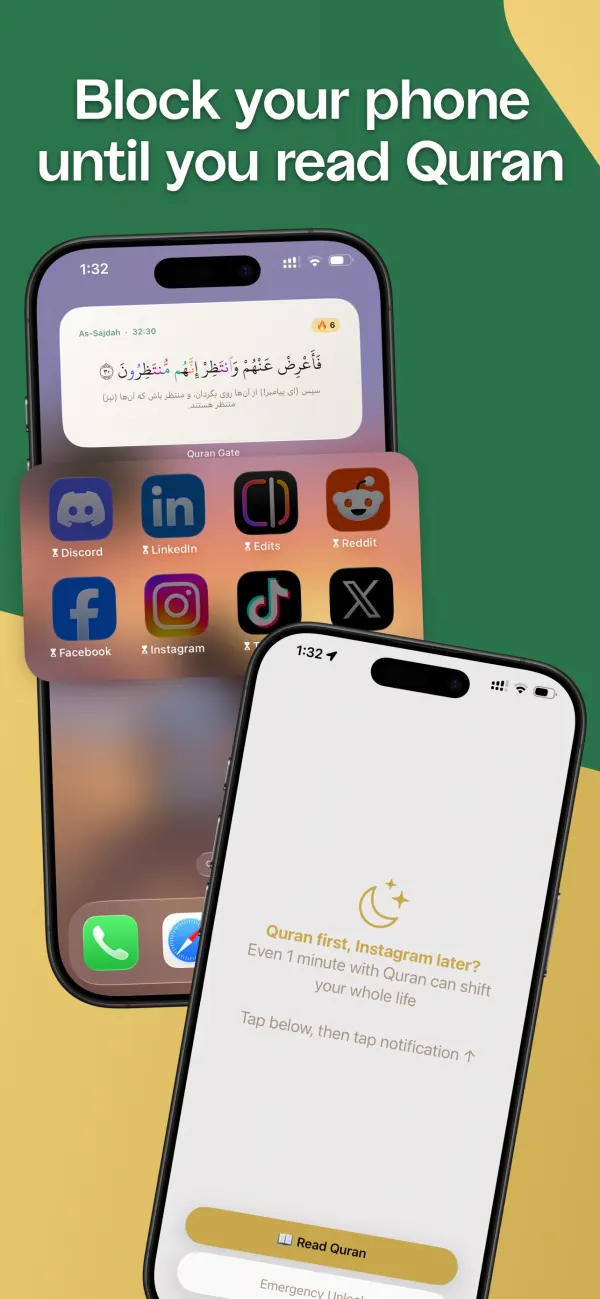
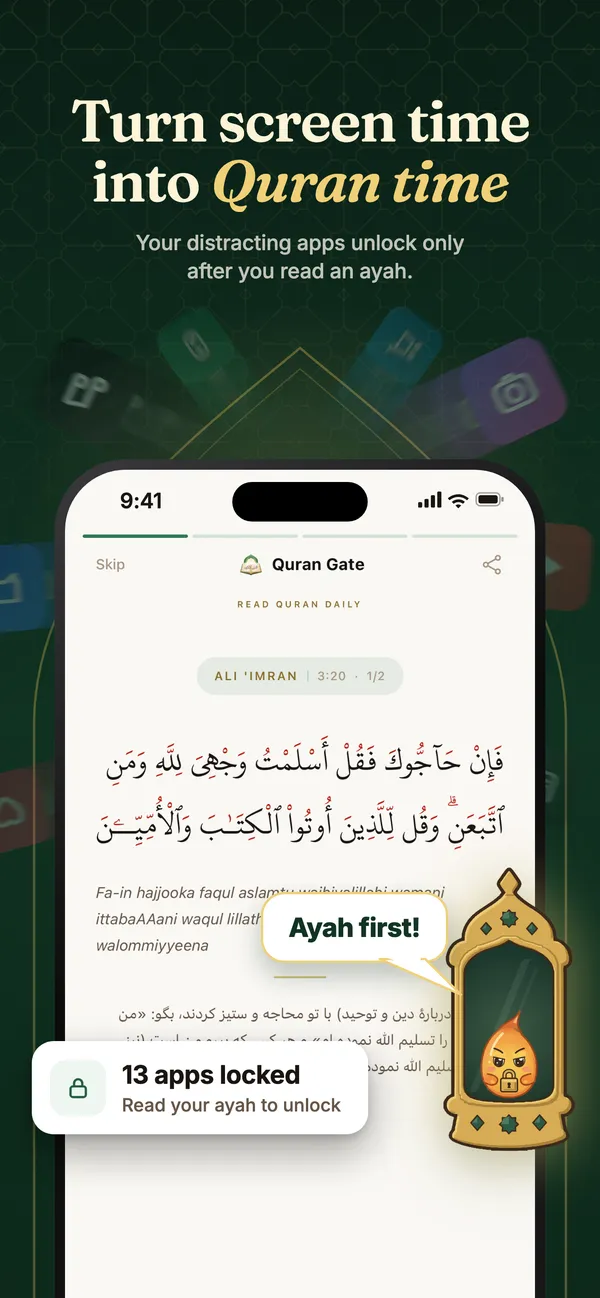
How the lock works
Choose your apps
Instagram, TikTok, YouTube or anything else, and a time limit from 5 to 120 minutes.
Use them as normal
Until the time runs out. Then the app shows a Quran Gate screen instead of your feed.
Read, then scroll
Read your next ayat in Quran Gate and the app unlocks for another round. The readings add up to a full khatm.
Setting it up: the Screen Time step
Setup takes about five minutes. The one step people pause at is Screen Time, so here is exactly what you will see.
- Download Quran Gate. Install it from the App Store and pick your daily reading goal (half a page to three pages) and your translation.
- Connect Screen Time. iOS asks you to allow Quran Gate to use Screen Time. Tap Continue and confirm with Face ID or your passcode. This is Apple's own framework, and your app choices stay on your phone.
- Select your apps. Choose Instagram (or any app) in Apple's app picker. On the free plan that is one app; Premium adds more apps, whole categories like Social, and websites.
- Set your time limit. 30 minutes is an honest start. When it runs out, the app locks until you read.
Full guide with Android steps: How to block Instagram until you read Quran
Made for iPhone
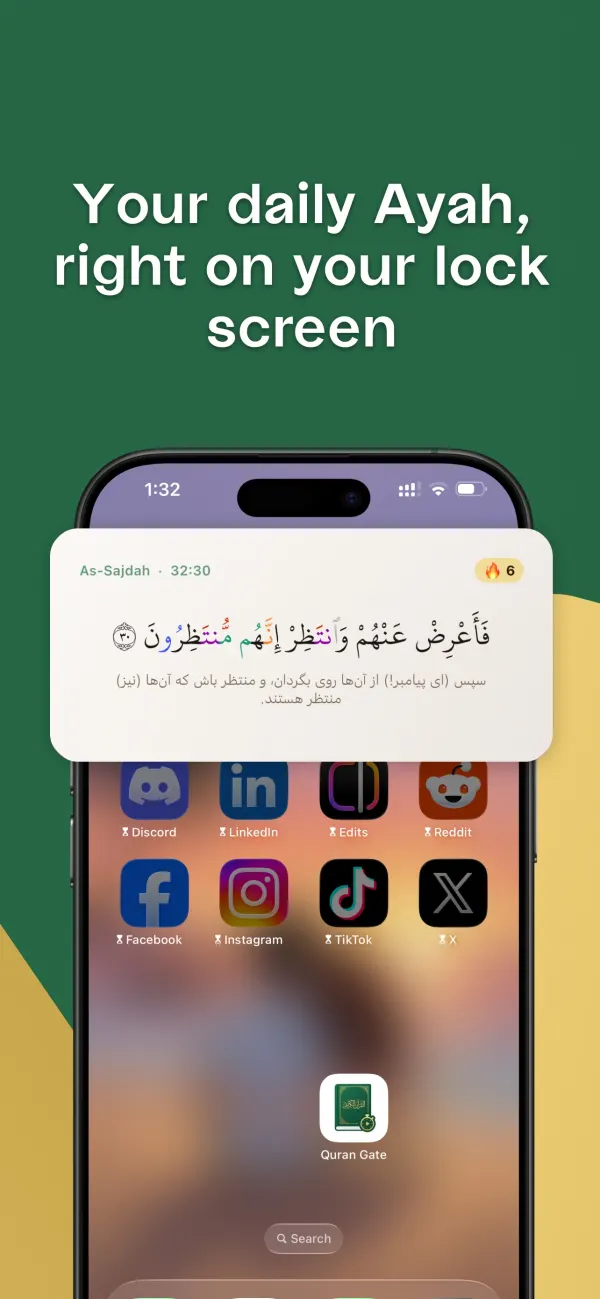
Ayah of the Day on your Lock Screen
Add the Ayah of the Day widget to your Lock Screen or Home Screen, and Noor, who keeps your daily streak, alongside it.
Family Sharing
One Premium subscription covers your whole family through Family Sharing.
Sign in with Apple
No account is needed to read or block apps. Sign in with Apple (or Google) to keep your streak, khatm, milestones and bookmarks on a new phone.
iPhone Duo and iPad
Unfold an iPhone Duo and turn it sideways, or hold an iPad in landscape, and the Madani Mushaf opens on two facing pages.
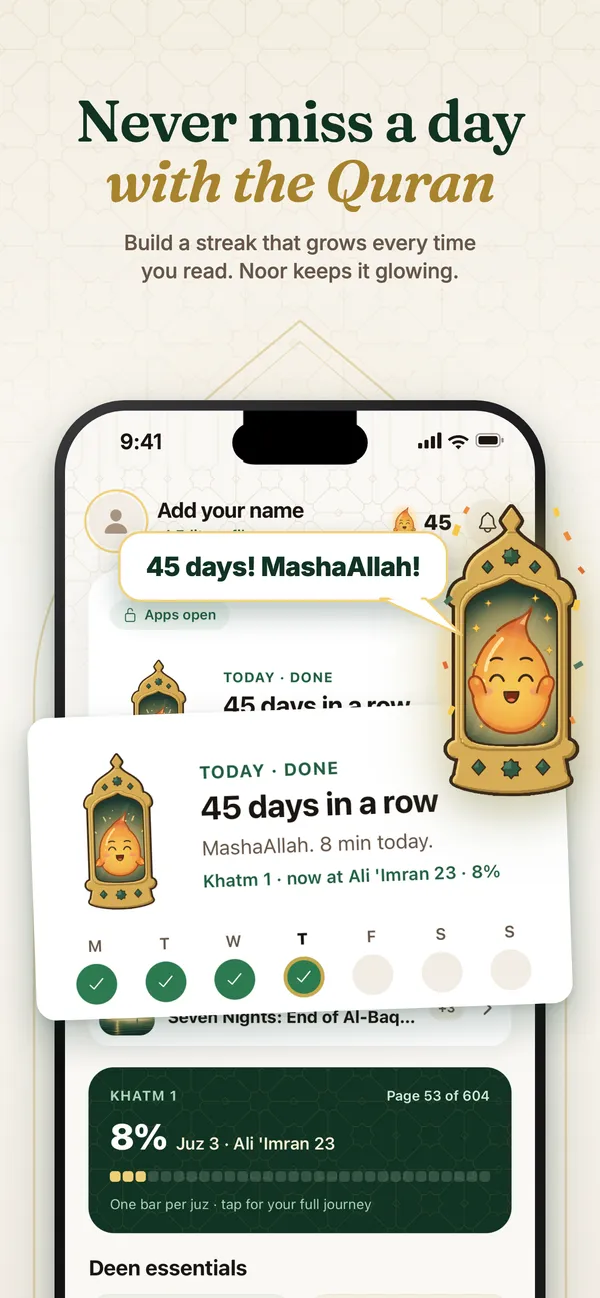
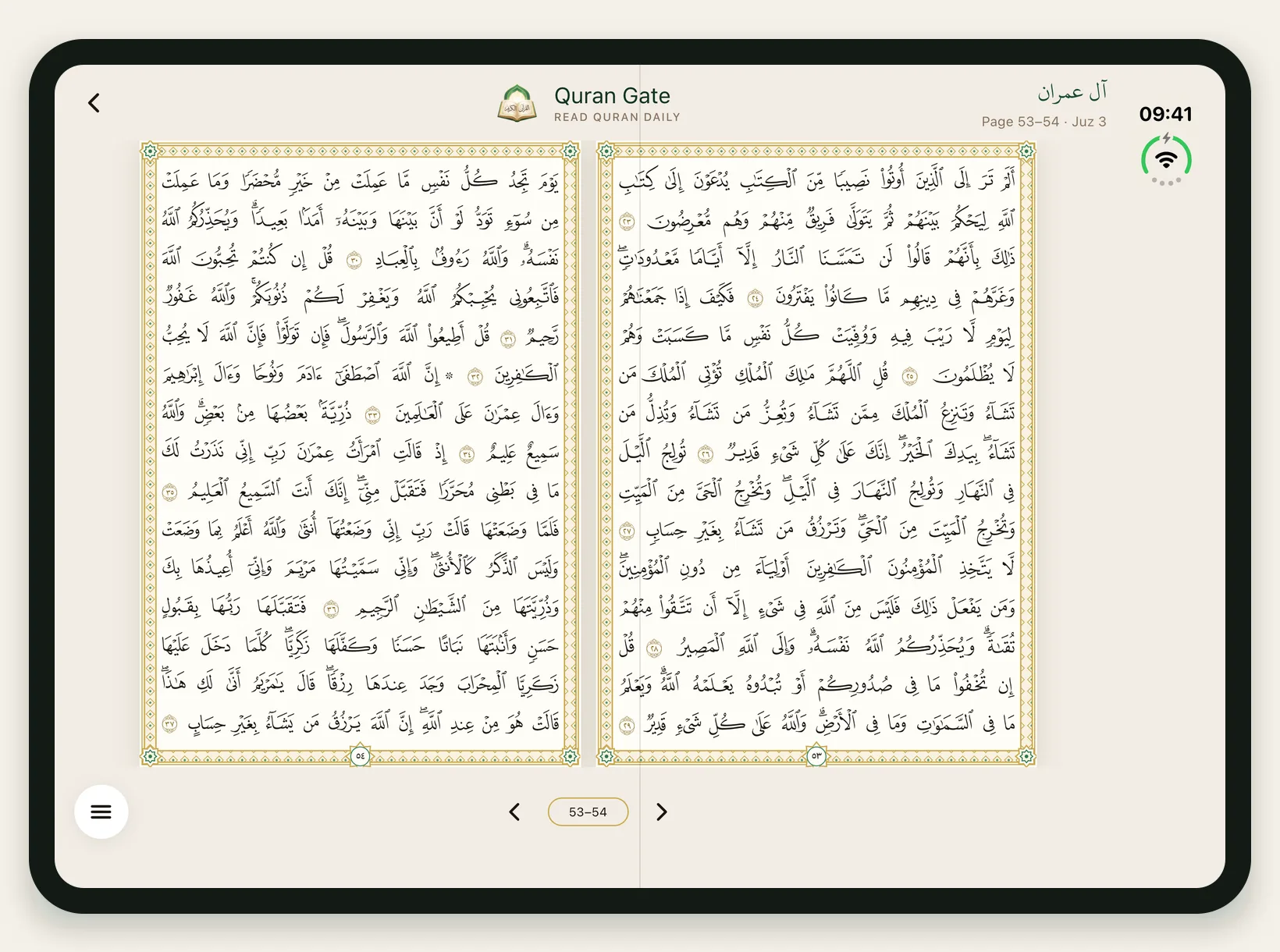
See the two-page Mushaf on iPhone Duo and iPad →
What it costs
- Free plan: the full Quran reader and Mushaf, one blocked app, one circle at a time, the Ummah wall, daily dhikr and du'a. No ads.
- Premium: unlimited apps, categories and websites, unlimited circles and audio recitation by 6 reciters. It starts with a 7-day free trial, then $3.99 a month or $24.99 a year in the US (local prices vary by country).
More than a blocker
Quran Gate is also a daily Quran habit app: the full 604-page Mushaf (downloadable for offline reading), a khatm tracker, reading circles with Muslims worldwide such as a juz a day in Ramadan or Al-Kahf every Friday, an Ummah wall for du'a requests, and a daily dhikr and du'a.
Questions about Quran Gate on iPhone
How does Quran Gate block apps on iPhone?
It uses Apple's Screen Time API, the same framework behind iOS Screen Time. You allow it once with Face ID or your passcode, pick apps in Apple's picker, and set a time limit. When the time runs out, those apps stay locked until you read.
Can Quran Gate see which apps I use?
Your app choices are processed on your iPhone through Apple's Screen Time framework and stay on your device. Limited analytics, diagnostics and subscription data are handled as described in the Privacy Policy.
Is it free?
Yes, there is a free plan with the full Quran reader and Mushaf, one blocked app and one circle at a time. Premium adds unlimited apps, categories and websites, unlimited circles and audio recitation, with a 7-day free trial, then a monthly or annual subscription.
Does one subscription cover my family?
Yes. Premium covers your whole family through Family Sharing.
Is there a Lock Screen widget?
Yes. On iPhone the Ayah of the Day widget works on the Lock Screen and Home Screen, and the Noor widget shows your daily streak.
Does it work on iPad and iPhone Duo?
Yes. On iPad in landscape and on an unfolded iPhone Duo held sideways, the Mushaf shows two facing pages. Sign in with Apple or Google and your progress follows you between devices.
Does it work offline?
Reading does. The daily reading works without a connection, and you can download the full Mushaf (about 210 MB) once in Settings. Audio recitation, Circles and the Ummah wall need a connection.
Read first. Then scroll.
 Free to start · No ads
